Map link and embed code
Every live map has one public address. Put it on your website, in your emails and on your signage, turn it into a QR code, or paste the embed code into any page to show the map inline. All of it lives in the Links section of the map's page.
The map link
The map link is https://maps.waygomaps.com/ followed by your map's ID, for example:
Map link
https://maps.waygomaps.com/acme-expo-2027
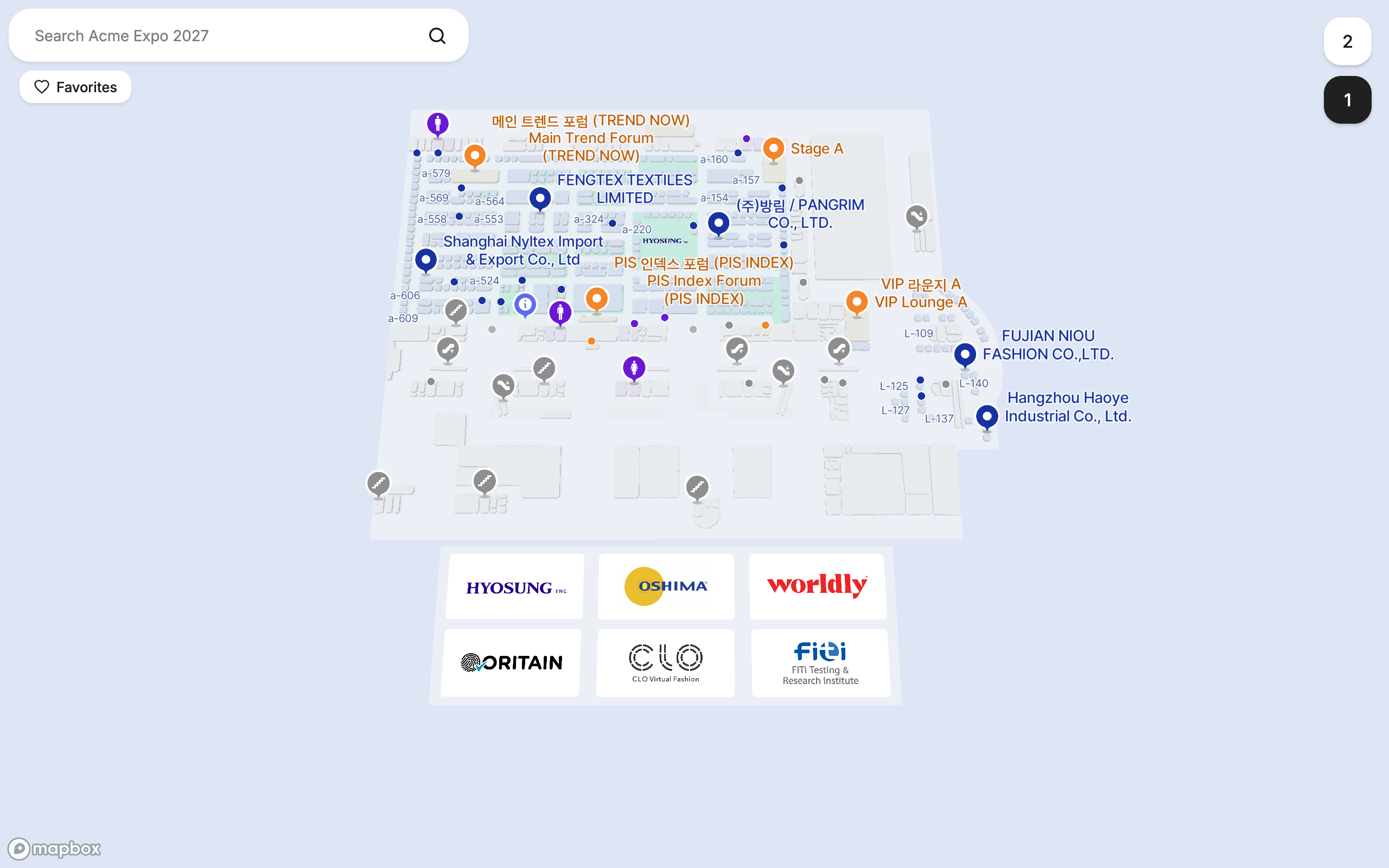
It opens the map on the level you chose under Opens on in Map settings, with the search bar, the level buttons and the suggested searches. It works on phones, tablets and desktops, and it is what visitors get when they scan a QR code of it.
On a draft map the chip is greyed out with “Works after you go live”. The address is fixed from the start, so you can print it before the map is live.
The embed code
The embed code is one iframe that shows the map inside your own page, with compact controls and without the Waygo header. Copy it from the Links section and paste it into your website's HTML, a CMS embed block or your event app's web view.
Embed code
<iframe
  src="https://maps.waygomaps.com/acme-expo-2027?embed=1"
  title="Acme Expo 2027"
  width="100%"
  height="640"
  style="border:0;border-radius:8px"
  loading="lazy"
  allow="fullscreen; geolocation"
></iframe>
width="100%"makes the map as wide as the block you paste it in; changeheightto taste (640 pixels is a good default, 100vh for a full-screen page).allow="fullscreen; geolocation"lets the visitor open the map full screen and start directions from where they are.- The
?embed=1at the end of the address is what switches the compact layout on. Any other link (a place, a search, directions) can carry it too; see Building a link.
Step-by-step instructions for the common platforms: Embed a map in your website, WordPress, Squarespace, Wix and Webflow, a mobile event app.
QR codes
A QR code is just a link. Make one from the map link for the entrance banner, or use Bulk links to get one link per booth or room and print a QR code on every sign. See QR codes for booths and rooms.
Links that open the map somewhere specific
The map link opens the whole map. Build a link makes an address that opens it on a booth, on a search, or with directions already drawn, on the floor and view you choose. Bulk links makes one such link per catalog row as a spreadsheet. Both are one click away in the Links section.
| Link | Opens the map… | Example |
|---|---|---|
| Map link | on its default level | …/acme-expo-2027 |
| Place | with one booth, room or stand selected | …/acme-expo-2027/k3Qm…/selected-content/d7e1… |
| Search | with a search already run | …/acme-expo-2027/k3Qm…/search/coffee |
| Directions | with a route drawn, from an entrance or a kiosk | …/acme-expo-2027/k3Qm…/directions/kiosk:lobby/d7e1… |
| Kiosk | as a kiosk that gives directions from where the screen stands | …/acme-expo-2027?kiosk=lobby-north |
Links are addresses, not records: nothing is stored when you build one, so build as many as you like and regenerate them whenever you want. Nothing needs revoking. The map ID in every link never changes, so a link printed today keeps working next year.
Frequently asked questions
- How do I share my venue map with attendees?
- Copy the map link from Maps → your map → Links and put it on your website, in emails, on signage or in a QR code. To show the map inside a page, paste the embed code instead.
- Can I embed the Waygo map on my website?
- Yes. The Links section gives you a one-line embed code (an iframe). Paste it into any web page, CMS embed block or web view.
- Does the embed code work on mobile?
- Yes. The embedded map switches to the mobile layout when it is narrower than 768 pixels, and the visitor can open it full screen.
- Can I link straight to one booth?
- Yes. Use Build a link, choose A place, pick the booth, and copy the link. Bulk links gives you one such link per booth as a CSV.
- What happens to shared links if I change the map?
- They keep working. Links contain the map address and the place, never a snapshot of the map, so they always open the current map.