Publishing and going live
Two different things are easy to mix up. Going live makes the map public. Publishing bakes your latest content into the map for faster loads. Your edits reach the live map as you make them; publishing is never something you wait for to see a change.
The map's status
| Status | Meaning | Who can open it |
|---|---|---|
| Draft | Being built from your floor plans. | Only through a preview link. |
| Live | Public. | Everyone with the address, every link, every kiosk. |
| Offline | Taken offline by you, or the license ended. | Only through a preview link. |
| Publishing… | A publish is running (a few minutes). The map stays open the whole time. | As before. |
The status pill sits beside the map's name. The Details rail says since when.
Go live and take offline
Go live is the primary button on any map that is not live. It is refused, with the reason, while Waygo is still building the map or when the license has ended. When you go live for the first time, Waygo bakes your content labels into the map at no cost to your allowance.
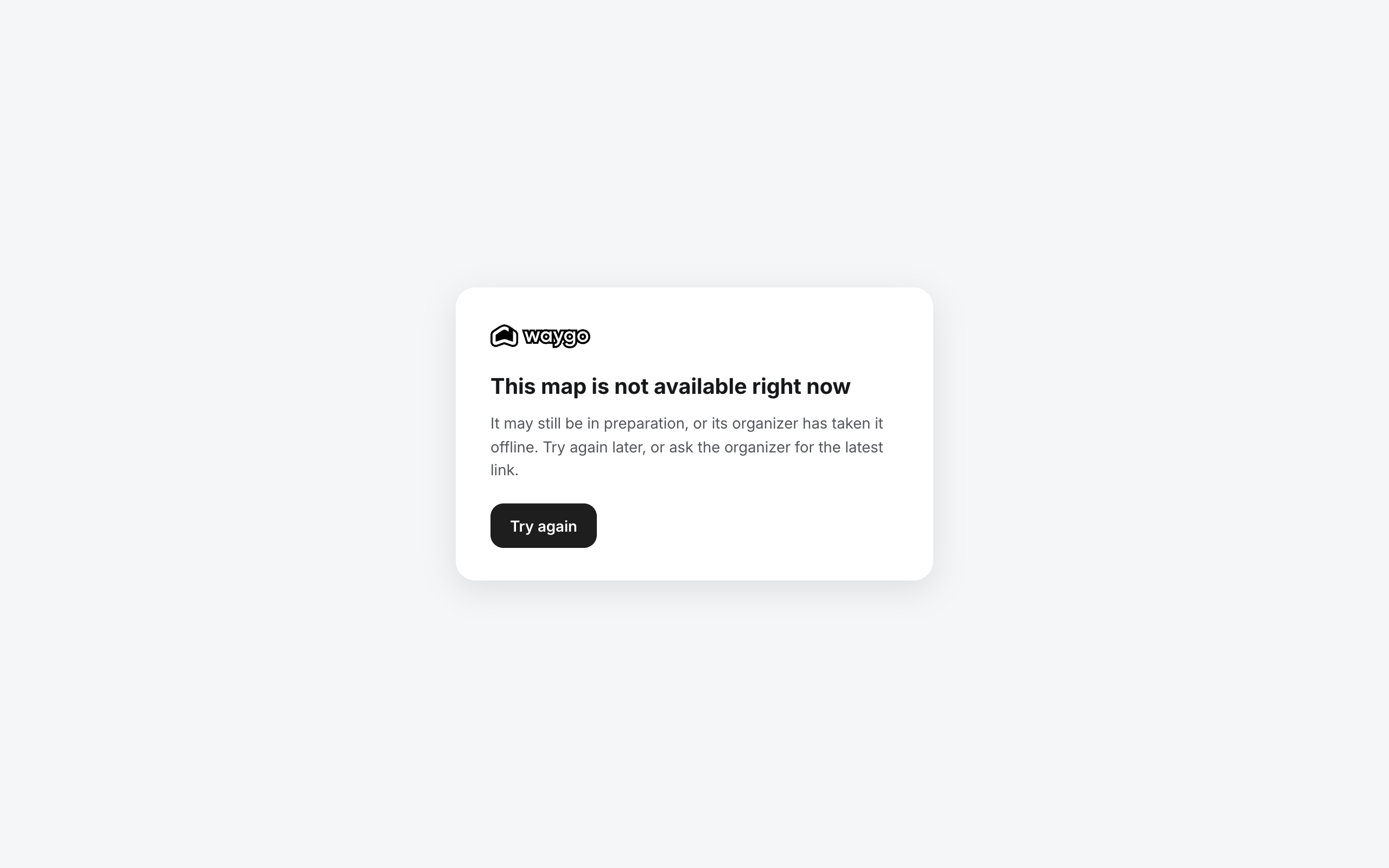
Take offline sits in the ⋯ menu. The confirmation says what it means: every link to this map, including kiosks, shows “This map is not available right now” until you go live again. Nothing is deleted; links and kiosks keep their addresses and work again the moment you go live.
What Publish does
Visitors load a map in two layers. The base map is the built venue: walls, rooms, booths, walking paths. Content labels are the names and pins of your catalog content. Between publishes, new and changed content still streams to the map live; publishing bakes it into the map so first loads are faster and permanent.
The Publishing section shows each layer with its last publish and whether changes are waiting.
Automatic publishing
The map republishes its content labels by itself once 500 changes have accumulated, with at least 10 minutes between runs. The line under the two rows tells you what will happen next (“Automatic publishing is off — publish when you want your changes made permanent.”, or when the next automatic run is due). Automatic runs never count against your allowance.
Publishing yourself
Click Publish to open the panel. The layer with changes waiting is pre-checked; a layer that is up to date is disabled with “nothing to publish”. The line at the bottom shows your allowance, for example “3 of 12 publishes used today”, and when the allowance is spent the button reads when it is available again.
You rarely need this. Publish yourself when you want a change made permanent right now, for example the morning of the show after a last round of edits, or when the automatic threshold is far away.
The publish allowance
Each publish of the content labels costs Waygo processing, so it is bounded: by default 12 publishes per day, with 10 minutes between them. The base map is published by Waygo and never counts. A publish that fails is refunded. The Details rail shows how much of today's allowance is used; your Waygo team can set a different allowance for your account or for one map.
Publish history
The last section of the map page lists every publish: when, which layer, who ran it (your user, Waygo, or Automatic) and its result. A failed run shows the error under the row.
The license
Every map has a license period, shown in the Details rail (“License · until Aug 4, 2027”). Thirty days before it ends the rail turns amber and the account owners receive one email. When it ends the map goes Offline with a banner under the header; preview links still work and nothing is deleted. Ask your Waygo team to renew and go live again with one click.
Frequently asked questions
- Do I need to publish to see my changes on the map?
- No. Content changes reach the live map as you make them. Publishing bakes them in for faster loads and runs by itself after 500 changes.
- How many times a day can I publish a Waygo map?
- By default 12 times a day, with 10 minutes between publishes. Automatic runs, base-map publishes by Waygo and failed runs do not count.
- What happens to my links and kiosks when I take the map offline?
- They keep their addresses and show a “This map is not available right now” page. Kiosks retry every minute, so they come back by themselves when you go live again.
- Why is Go live disabled?
- Hover the button for the reason: usually Waygo is still building the map, or the map license has ended. Renewing the license restores Go live at once.
- What is the difference between Publish and Go live?
- Go live makes the map public; Publish bakes your latest content into the map for faster loads. You go live once; publishing happens by itself afterwards.