Add an interactive venue map to a mobile event app
Event apps live and die by “where is it?”. The Waygo map runs in a web view inside your iOS or Android app, and every screen of your app can link into it: an exhibitor's booth, a session's room, directions from the entrance. No SDK to integrate, nothing to update when the floor plan changes.
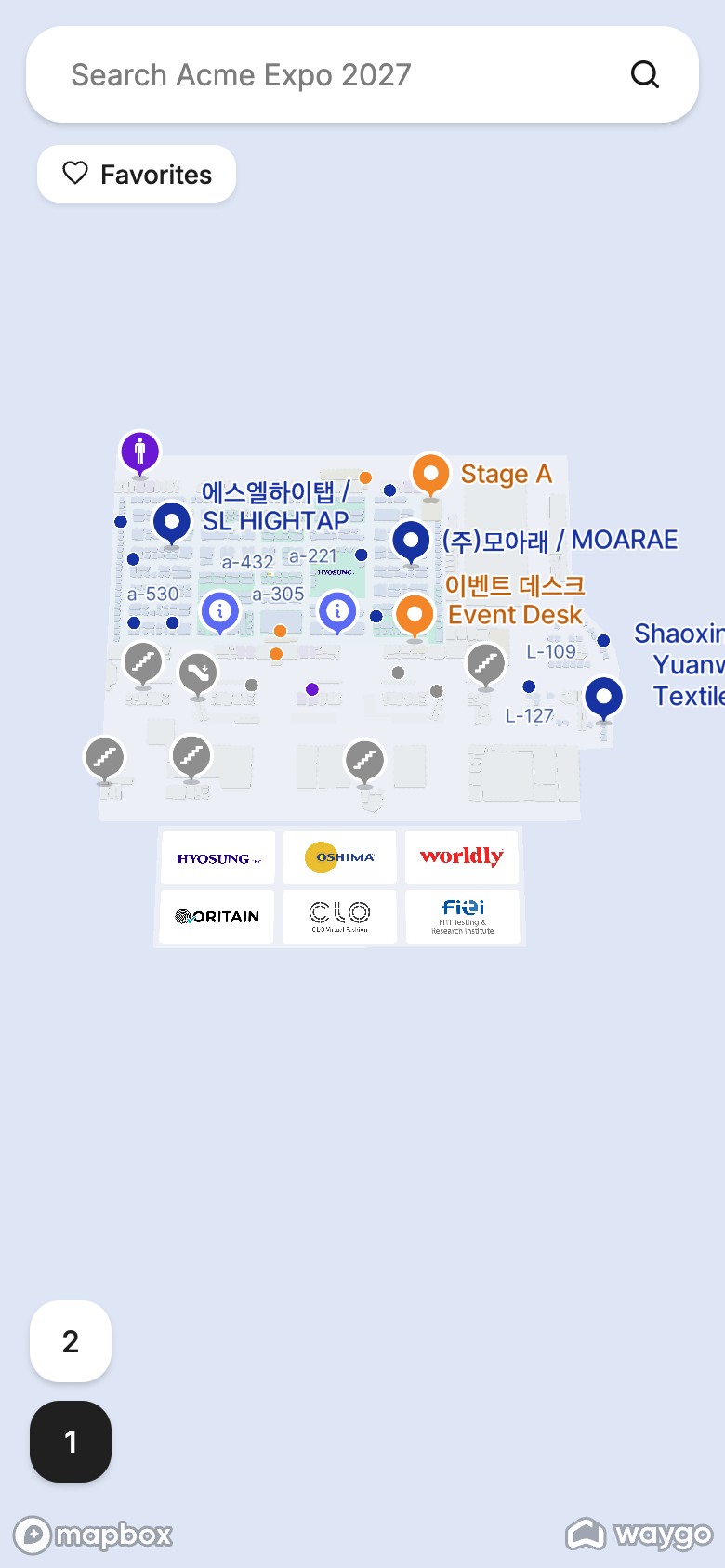
Two ways in
| Approach | When | How |
|---|---|---|
| A web view inside your app (WKWebView on iOS, WebView on Android, the WebView component in React Native and Flutter) | The map is a tab or screen of your app. | Load the map link with ?embed=1 so there is no header and the controls are compact. |
| The in-app browser (SFSafariViewController on iOS, Chrome Custom Tabs on Android) | The map is a “Find on the map” button. | Open the link as-is. Nothing to configure; the visitor taps Done to return. |
Both use the same links you build in the dashboard, so nothing in the app changes when the map does.
The map screen
Web view URL
https://maps.waygomaps.com/acme-expo-2027?embed=1
Three settings make the web view behave like the browser:
- Allow JavaScript (on by default in WKWebView;
settings.javaScriptEnabled = truein Android's WebView). - Geolocation, if you want “directions from where I am”: grant the location permission in your app and forward it to the web view (Android:
onGeolocationPermissionsShowPrompt; iOS: WKWebView uses the app's permission). - Full-screen video is not needed, but let the web view fill the screen below your app bar; the map switches to its mobile layout on phones by itself.
Deep links from the agenda and the exhibitor list
Every session, exhibitor or amenity in your app can open the map exactly on that place.
- Build the links in the dashboard: Maps → your map → Bulk links, pick the catalog, choose Open to each row's place, tick the columns your app keys on (an ID, the booth number) and download the CSV. See Bulk links.
- Store each row's
linknext to that item in your app's data. - When the visitor taps “Find on the map”, load that link in the map screen (or the in-app browser).
A place link opened in the map screen
https://maps.waygomaps.com/acme-expo-2027/k3Qm7vX2S8aB1nR9tLpYwA/selected-content/d7e1f77ece5f493093ccd1d09e009f5c?embed=1
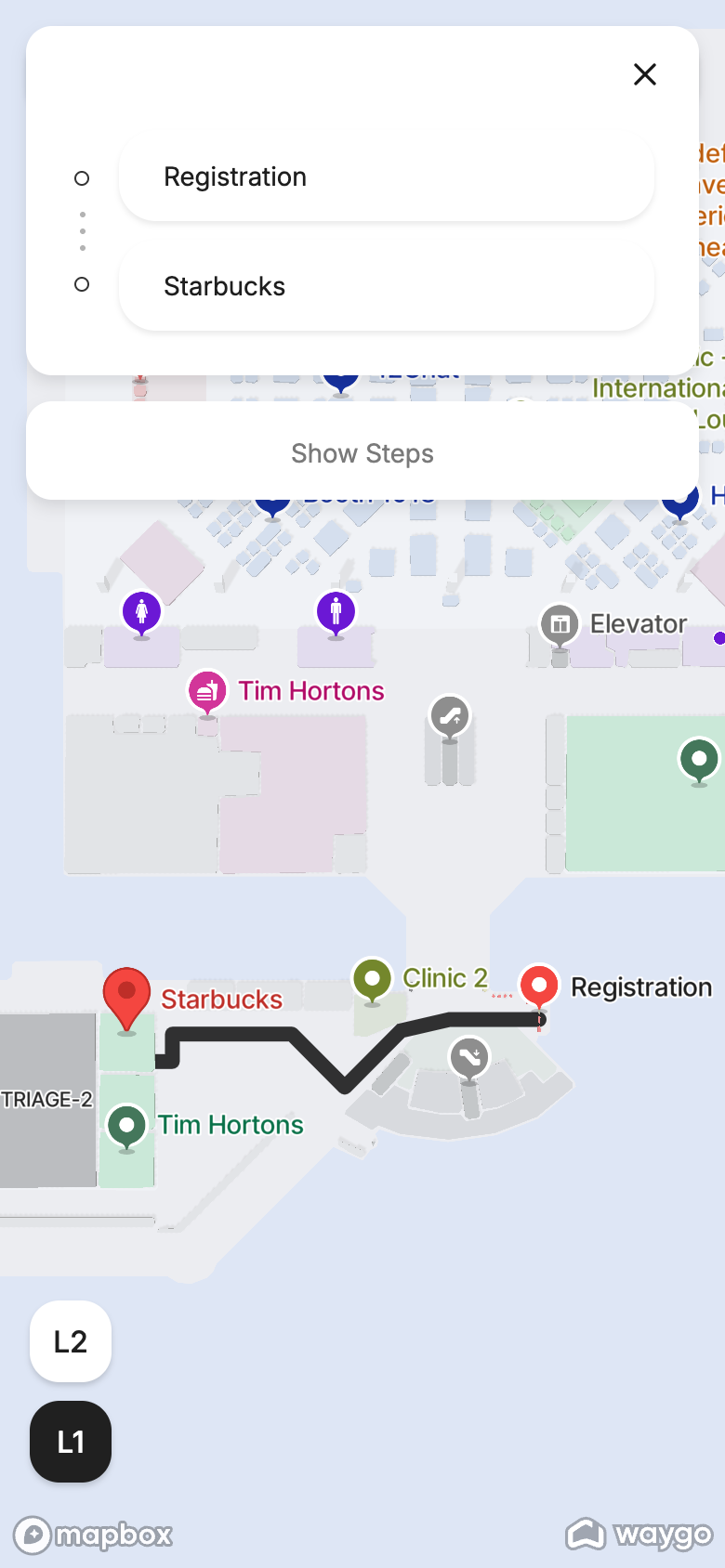
For a “Take me there” button, use a directions link from a fixed start such as the main entrance, or from the visitor's location:
Directions from the visitor's location
https://maps.waygomaps.com/acme-expo-2027/k3Qm7vX2S8aB1nR9tLpYwA/directions/,/d7e1f77ece5f493093ccd1d09e009f5c?embed=1
Integrating with your app's data
If your app already has the exhibitor list, the Links API builds the same links from your server, so a nightly job can attach a fresh link to every record. If your app is the source of truth for exhibitors, keep the Waygo catalog in sync with the Content API and let the map follow.
Frequently asked questions
- Is there a native Waygo SDK for iOS or Android?
- The map runs in a web view or the in-app browser and needs no native SDK. Every feature (search, details, directions, kiosks) works there.
- Can the app open the map on a specific booth or session?
- Yes. Build a place link per item (Bulk links gives you one per catalog row as a CSV) and load it in the web view.
- Does the map work offline in the app?
- No. The map loads from Waygo when the screen opens, so the device needs a connection, as with any web content.
- How do I remove the Waygo header inside my app?
- Add ?embed=1 to the link. The map shows compact controls and no header.
- Can directions start from the visitor's position inside the app?
- Yes, when your app has the location permission and forwards it to the web view. Use a directions link whose start is the visitor's location.